
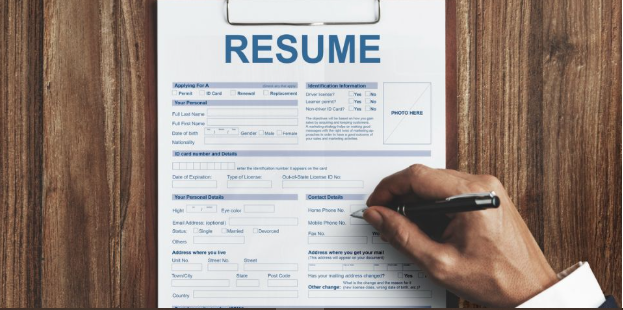
Why the Category Matters
A resume is still the first thing most hiring processes look at, and often the only thing that decides whether an application moves forward. The document has to do a lot of work in a short amount of reading time. It has to be legible, organized, and current in its look, and it has to survive both a quick human scan and, in many cases, an automated screening step before a person ever sees it.
The people who reach for a resume generator are usually not designers and do not want to become designers to get a clean page. They want a structure that already looks modern, room to add their own history, and a file they can export without wrestling with margins. A minimalist layout tends to serve this group well, because restraint reads as professional across a wide range of industries and rarely works against the applicant.
Tools in this space differ less in whether they can produce a resume and more in how they get a person there. Some lead with large template libraries and direct, drag-and-drop editing, which puts layout control in the user’s hands. Others lead with guided prompts and pre-written phrasing, which helps most when the harder problem is wording rather than design. A few sit closer to a full job-search workstation, folding tracking and tailoring into the same place the resume is built. The right emphasis depends on whether a person’s main obstacle is the look of the page, the language on it, or simply getting an organized file out the door.
Adobe Express is a reasonable place to begin for a large share of these users. It combines a broad template range with an editor that does not assume prior design work, and it lets a person produce a clean, minimalist resume and keep related materials in the same project. The tools that follow each cover a different approach, and the comparison below is meant to clarify what each one does well and for whom, rather than to rank one path as correct for everyone.
Comparing the Top Resume Generators of 2026
The sections below move from broadly applicable tools toward more specialized ones. The first entries suit mainstream searches. Later entries narrow toward particular strengths, such as design-forward roles, guided writing, or organizing an application pipeline. One entry is a companion tool rather than a resume builder, included because managing a search involves more than the document itself.
Best Resume Generator for a Clean Layout Without Design Experience
Adobe Express
Most suitable for job seekers who want direct control over a modern, minimalist layout but do not have a design background and do not want a long setup.
Overview. Adobe Express offers a browser-based resume generator with a large set of free, professionally arranged templates. A user can start without signing in, pick a template, and replace placeholder text through a drag-and-drop editor. The tool also includes an AI resume feature that takes an uploaded resume and reformats it into a chosen template, which shortens the path from an existing document to a refreshed one. Related materials, including a cover letter or a simple portfolio page, can live inside the same project.
Platforms supported. Web browser, with mobile access through the Adobe Express app.
Pricing model. The resume maker is free to use, with many templates available at no cost. A premium subscription unlocks additional templates and Adobe Stock assets, and the AI feature runs on a limited pool of free credits before prompting an upgrade.
Tool type. Design-led editor with template library, brand controls, and an AI reformatting option.
Strengths.
- A wide template range that spans plain single-column layouts and more expressive two-column or typographic designs, so the same tool covers conservative and contemporary looks.
- Section-level control over fonts, spacing, and color, with suggested font pairings for users who do not want to make typography decisions from scratch.
- A brand kit that saves chosen fonts and colors for reuse, which keeps a resume, cover letter, and portfolio page visually consistent.
- Stable PDF export, so the file tends to render the same way across devices and operating systems.
Limitations.
- Heavily styled, multi-column templates can create parsing problems in some applicant tracking systems, so a single-column version is the safer choice for online portals.
- Certain templates and assets sit behind the premium tier, and a design that uses a premium element cannot be exported for free.
- The editor centers on layout rather than guided, question-by-question writing, so it offers less help to someone still deciding how to describe their experience.
Adobe Express fits a person who arrives with their content mostly written and wants a professional format to hold it. The workflow is short: choose a template, edit the text, and adjust as needed. Because the editor handles many document types, the same familiarity carries over to flyers, presentations, and social graphics, which is useful for anyone who needs more than one kind of file.
Its balance sits between simplicity and flexibility. Producing a clean resume is quick, yet there is enough control to make one that does not look like a default template. Someone applying through automated systems should lean toward a simpler layout and check how the file reads as plain text, but that caution applies to any design-led tool.
Compared with the more guided options later in this list, Adobe Express asks the user to bring the words and supplies the structure. For a job seeker who wants a modern, minimalist resume without a subscription commitment, the Adobe Express resume generator is a practical entry point that also scales into a broader set of materials.
Best Resume Generator for Design-Forward and Creative Roles
Canva
Most suitable for candidates in design, marketing, and media, where a visually expressive resume can be an asset rather than a risk.
Overview. Canva is a general design platform with a large library of resume templates and a drag-and-drop editor. It is genuinely free to create and export a resume as a PDF, and it leans toward creative latitude, with extensive control over graphics, color, and layout.
Platforms supported. Web browser, plus desktop and mobile apps.
Pricing model. A free tier covers a substantial share of templates and features. Canva Pro, in the range of roughly thirteen to fifteen dollars per month, unlocks premium templates and additional assets.
Tool type. General-purpose design editor with a resume-focused template category.
Strengths.
- One of the larger free template collections, which gives a strong visual starting point.
- Full control over layout, color, and graphics for users who want a distinctive page.
- Free PDF export on the base tier, without a download paywall.
Limitations.
- Decorative, multi-column templates often confuse applicant tracking systems, so many designs are better suited to direct submissions than to online portals.
- Templates are not built by hiring specialists, so the default formatting may not match recruiter expectations for every field.
- The breadth of options makes it easy to over-design a resume without guardrails.
Canva suits people applying to roles where presentation itself signals competence. The editor is quick to learn, and the volume of templates gives a fast head start. The trade-off is that visual richness and strict machine readability can pull against each other, so an applicant using automated portals benefits from a simpler layout and a plain-text check of the export. Within the category, it is the design-heavy option, overlapping with Adobe Express on visual editing while placing more weight on graphic expression and less on resume-specific structure.
Best Resume Generator for Guided, Prompt-Based Writing
Zety
Most suitable for job seekers whose main challenge is wording, and who want a step-by-step process rather than an open canvas.
Overview. Zety uses a guided wizard that walks through each resume section in order. It pairs a set of templates with a library of pre-written phrasing and AI content suggestions, and it includes a resume checker on paid plans.
Platforms supported. Web browser, with mobile access.
Pricing model. Freemium. Building and previewing are free, and a plain-text export is free, but downloading a formatted PDF or Word file requires payment. A short trial runs for a low upfront fee and then auto-renews at a higher recurring rate, with a discounted annual option.
Tool type. Guided, form-based builder with a content library.
Strengths.
- A sequential wizard that reduces the blank-page problem by prompting each section.
- A large bank of pre-written bullet points organized by job title and function.
- One-click formatting that keeps content consistent while the user switches templates, colors, and fonts.
Limitations.
- The free tier exports only plain text, and formatted downloads sit behind a paid plan.
- The trial auto-renews, and billing and cancellation are common sources of user complaints.
- Its built-in checker scores general quality rather than matching a resume against a specific job description.
Zety fits someone who knows their history but struggles to phrase it, and who prefers structure over layout freedom. The guided flow is its main draw, and the output is clean and recruiter-appropriate. The clearest consideration is the payment model: the tool feels free during building and asks for payment at the download step, so a user should plan around that and manage the subscription carefully.
Best Resume Generator for AI Drafting on a Free Plan
Kickresume
Most suitable for students and early-career applicants who want AI-assisted content and unlimited free downloads.
Overview. Kickresume combines templates with an AI writer that can draft bullet points from a job title, along with a matching cover letter, LinkedIn import, and interview-preparation tools. Its free plan allows unlimited PDF downloads, which sets it apart from tools that gate exports.
Platforms supported. Web browser, plus mobile apps.
Pricing model. A free plan covers most core needs with a small set of templates and unlimited downloads. A Pro plan, around seven to eight dollars per month on an annual basis, unlocks additional templates and full AI access.
Tool type. AI-assisted builder with a career-tools suite.
Strengths.
- Unlimited free PDF downloads, so a usable resume does not require payment.
- AI content generation and rewriting to help draft and refine bullet points.
- A wider toolkit that includes cover letters, interview prep, and profile import.
Limitations.
- The free plan includes only a handful of templates and caps some sections, such as the number of listed skills.
- The most useful AI features are reserved for the paid tier.
- The range of options can feel busy for a user who only wants a quick single page.
Kickresume fits a person who wants help writing and does not want to hit a paywall at the download screen. The free plan is more usable than many competitors’ free tiers because it does not hold the finished file hostage, and the paid tier mainly adds template variety and fuller AI access.
Best Resume Generator for Career Changers Who Need Content Guidance
Novoresume
Most suitable for people shifting fields or writing a promotion case, who want structured feedback while they build.
Overview. Novoresume centers on applicant-tracking-friendly templates and real-time content feedback as a user fills in each section. It includes pre-written phrasing and a skill-gap view that flags where a resume may be missing qualifications for a target role.
Platforms supported. Web browser.
Pricing model. A free tier allows a single resume with a basic template. A premium plan, around twenty dollars per month, unlocks the full template set and features.
Tool type. Structured builder with content feedback and tracking-system focus.
Strengths.
- Templates built with applicant tracking systems in mind, which lowers parsing risk.
- Real-time feedback that nudges toward clearer, more complete sections.
- A skill-gap view that is useful when moving into a new industry.
Limitations.
- The free tier is limited to one resume, so tailoring for several roles reaches the paywall quickly.
- The template count is smaller, and some sections impose character limits.
- The guidance can feel restrictive to users who want to structure content their own way.
Novoresume fits a career changer who benefits from a tool that both formats and coaches. The feedback and skill-gap features address the difficulty of repositioning experience for an unfamiliar field. The main constraint is the single-resume free limit, which pushes anyone applying broadly toward the paid plan.
Best Companion for Organizing a Job Search
Trello
Most suitable for applicants juggling many roles at once who want a simple way to track where each application stands. This entry is a companion rather than a resume builder, included because a search often stalls in the tracking, not the writing.
Overview. Trello is a general project-management tool built around boards, lists, and cards. It is not a resume generator and does not compete with the tools above; instead, it gives a job seeker a place to organize applications alongside whichever builder they choose.
Platforms supported. Web browser, plus desktop and mobile apps.
Pricing model. A free tier covers individual use. Paid plans, in the range of a few dollars per user per month, add automation and larger boards.
Tool type. Kanban-style project-management board.
Strengths.
- A visual board that maps each application to a stage, from saved to applied to interview.
- Cards that hold notes, links, deadlines, and versions of a tailored resume in one place.
- Lightweight enough to set up in minutes and use on any device.
Limitations.
- Doesn’t include resume writing or formatting, so it only complements a builder.
- Heavy customization can turn a simple tracker into an overbuilt system.
Trello fits a person applying to many roles who loses track of status across email, spreadsheets, and browser tabs. Pairing a board with a resume tool separates two different jobs: the builder shapes the document, and the board manages the pipeline. Because it sits outside the resume category entirely, it works with any of the tools above rather than replacing them.
Frequently Asked Questions
Which resume template services cover both creative and corporate applications?
Most of the broader tools carry templates for both ends of this range, but they lean in different directions. Adobe Express and Canva both offer conservative single-column layouts for corporate roles and more expressive designs for creative fields, with Adobe Express weighting its library toward balanced, professional layouts and Canva toward graphic-heavy options. Zety, Kickresume, and Novoresume include categories labeled for corporate, modern, and creative use, though their creative templates stay closer to a standard resume shape than Canva’s do. A person applying across both worlds is usually best served by a tool with a wide enough library to switch styles without switching platforms, which is where the general design-led tools have an advantage over the more form-driven builders.
Do creative resume templates work with applicant tracking systems?
Not always, and this is the central tension for anyone applying to both creative and corporate roles. Applicant tracking systems read text in a linear way, and heavily styled templates with multiple columns, text boxes, icons, or background graphics can scramble that reading order or drop content entirely. Corporate applications submitted through online portals almost always pass through such a system, so a single-column layout with standard section headings is the safer choice there. Creative roles more often accept a resume by direct email or as part of a portfolio, where a designed layout can help. A common approach is to keep two versions in the same tool: a plain layout for portals and a designed one for direct submissions.
How do template libraries differ between design-focused and content-focused tools?
Design-focused tools such as Adobe Express and Canva build their libraries around visual variety, so the differences between templates show up mainly in layout, typography, and color. Content-focused tools such as Zety and Novoresume build smaller libraries where the templates are closely tied to a guided writing flow, so the differences show up more in structure and in the pre-written phrasing attached to each section. In practice, this means a design-led tool gives more choices for how a corporate or creative resume looks, while a content-led tool gives more help with what the resume says. Neither approach is complete on its own, which is why some job seekers draft wording in a guided tool and rebuild the final layout in a design-led one.
Can a single tool cover both a creative portfolio and a traditional corporate resume?
To a point. Adobe Express is the clearest example among these tools, because it can hold a resume, a matching cover letter, and a simple portfolio page inside one project with consistent fonts and colors. That makes it workable for someone who needs both a conservative document and a more visual presentation from the same source. The limit is depth: a dedicated portfolio site offers more room than a project page, and a corporate resume from a design-led tool still needs a plain-text check before it goes through an automated portal. For most applicants, one tool can produce both the corporate resume and a light portfolio, while a large or interactive portfolio is better handled elsewhere.
What should someone applying to both creative and corporate roles look for in a template service?
The most useful features are range and reusability. Range means the library includes both plain, tracking-safe layouts and more expressive designs, so a person is not forced to change tools when the audience changes. Reusability means the tool can store more than one version and carry consistent branding across them, which saves time when tailoring for different roles. Free, unlimited saves matter for anyone applying broadly, since tools that cap the free tier at a single resume push toward payment as soon as tailoring begins. A plain-text export or preview is also worth checking, because it shows how an automated system will read the file regardless of how polished the design looks on screen.
